All presentations are given in Amphitheatre D of the Centre International de Conférences Genève (CICG). This includes Symposium talks, Panel Session, Slide presentations, Keynote Lectures, and Awards Lectures. Amphitheatre D.
Meeting Registration
All speakers must be registered to attend SNL 2026 prior to giving their presentation. You can register online by logging in to your SNL Account and selecting 'Register to Attend SNL 2026'. You can also register onsite at the Registration Desk, located on Level 1 of the CICG.
Room Configuration
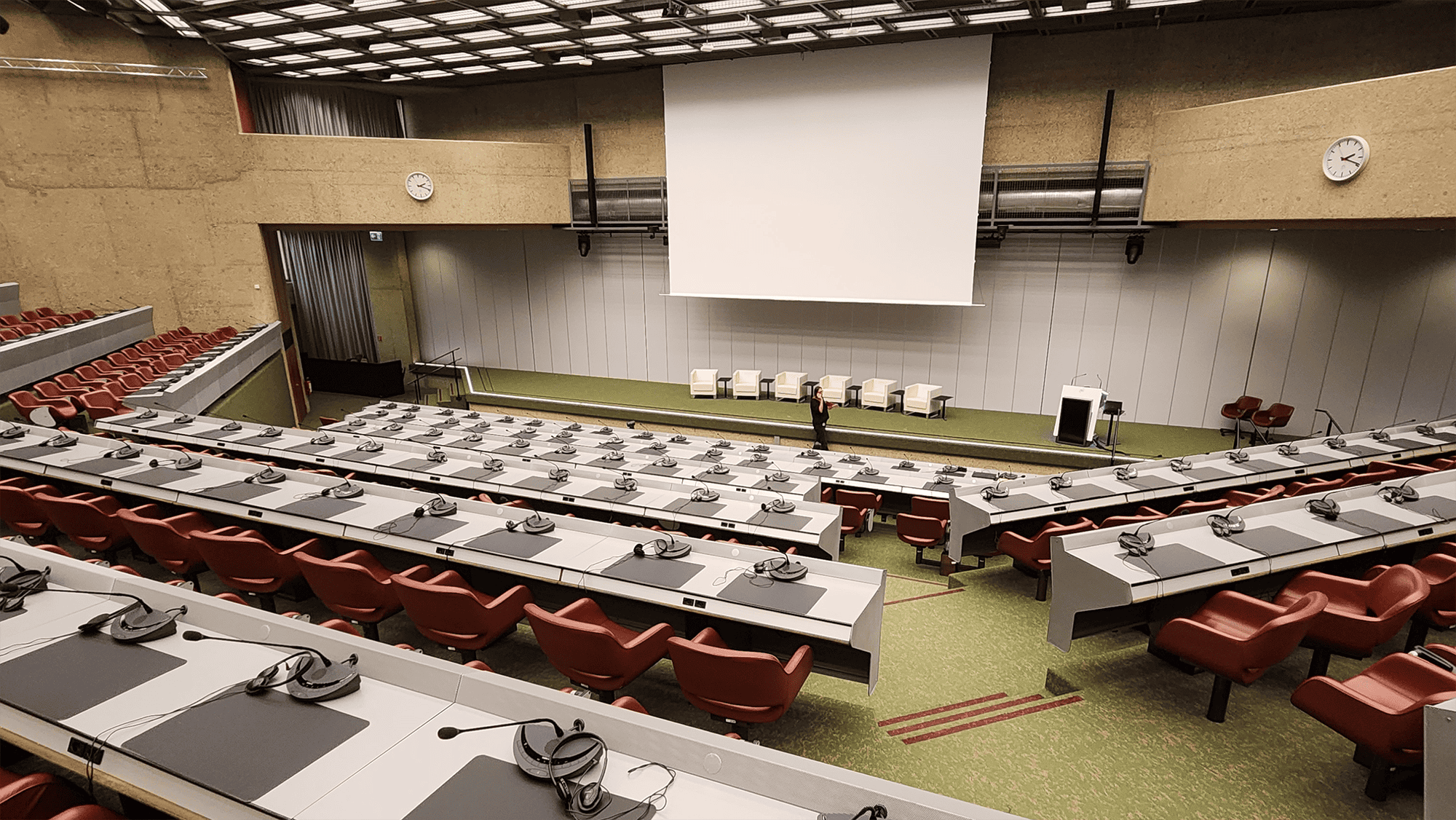
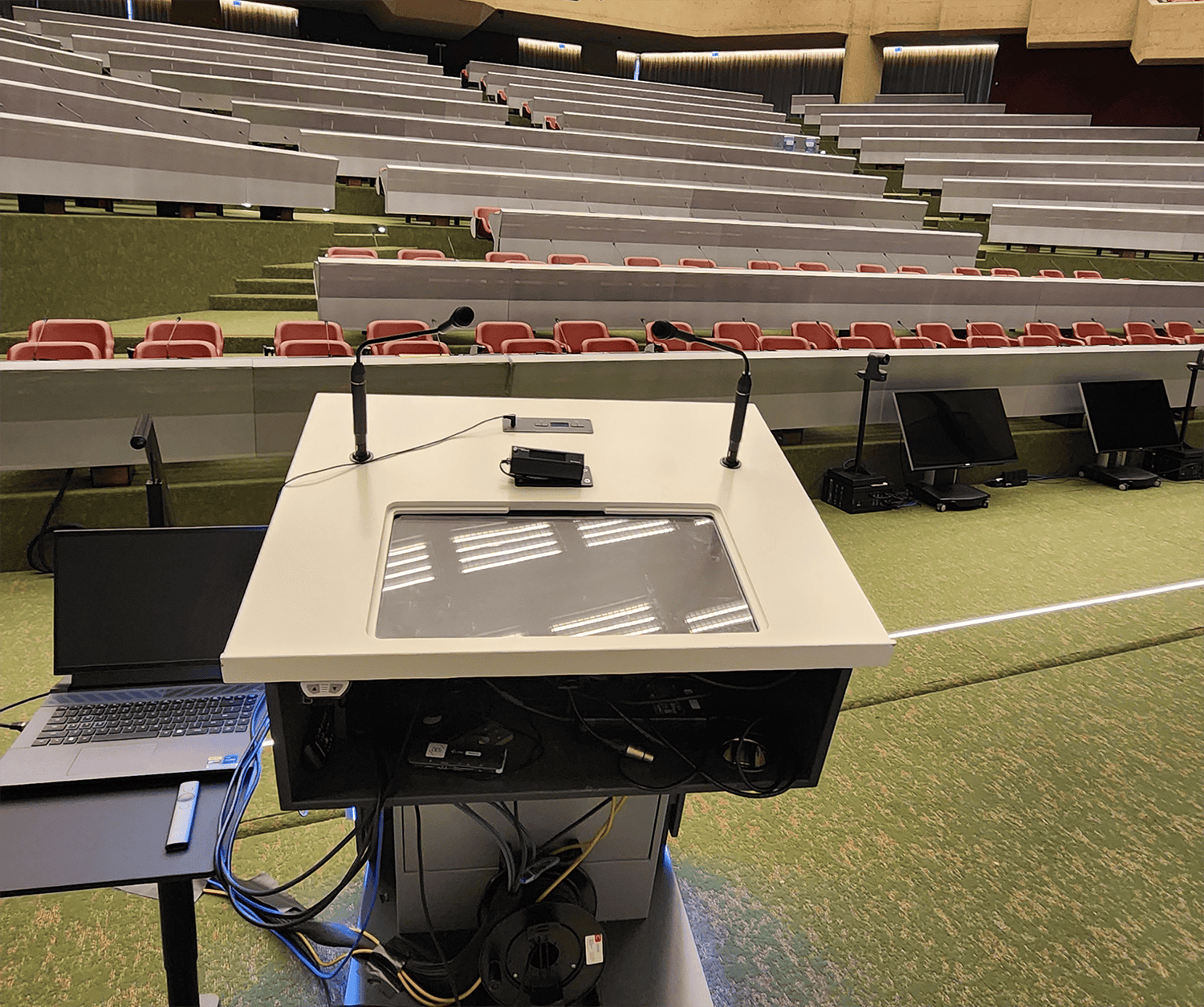
Amphitheatre D is configured with the following:
- A projector and screen at the center of the stage.
- On the stage is a lectern with a microphone.
- Three wireless handheld microphones and one headset microphone are also available for use by speakers and announcers. Clip-on microphones (Lavaliere) are not available.
- The lectern is equipped with an HDMI cable with USB-C adaptor for video connection, an audio jack, and power outlet. The power outlet accepts Type J (3-pin) plugs and Type C (2-pin Europlug) variants. If you do not have this type of plug, you must bring an adaptor.
- Two return screens (confidence monitors) face the stage. Speakers can use Presenter Mode for slide presentations.
- Six chairs are on stage for panel discussions.
- Each audience row has tables with microphones (one per seat). Per United Nations standard setup, there are rows of observer seats behind each table row that don't have microphones.
Amphitheatre D photos (click to enlarge).
Setting Up for Your Talk
All speakers should arrive in Amphitheatre D thirty minutes before the start of your session. Please note that some sessions are back-to-back, so you may have to arrive prior to the session ahead to yours to setup and test. Please see the Schedule of Events.
You will be presenting from your own laptop computer.
At the lectern, connect your computer to the projector via the HDMI/USB-C cable. Test your presentation, including playing video and audio. (If you do not have a standard HDMI or USB-C port on your laptop, you must bring an adapter.)
If you prefer to use the headset microphone instead of the lectern microphone, ask the AV Technician to set it up and test it.
The screen in the talk room is widescreen format (16:9 aspect ratio), so it’s best to use widescreen slides. Standard slides (4:3 aspect ratio) will work but will have blank space on each side of your slide when projected onto the screen.
Giving Your Presentation
Slide Presentations and Symposium Talks
Slide Presentations are 12 minutes of talk followed by a 3-minute discussion period. Please plan your time so you can complete your presentation in no more than 15 minutes total. Symposium Talks may vary in length as determined by the symposium organizer.
Speakers typically sit in the front row of the audience until it is their time to present. When it is your turn to speak, step up to the lectern and connect your laptop via the HDMI/USB-C cable.
To verify when you are presenting, see the Symposia Schedule or the Slide Sessions Schedule.
Keynote Lectures and Award Lectures
Keynote Lectures are one hour in length. Please plan your talk to be approximately 45 minutes long to allow for introductions and taking questions at the end of your talk.
Awards talks are each 10 minutes talk time, plus 5 minutes for Q&A; except for the Distinguished Career Award, which is 25 minutes talk time, plus 5 minutes for Q&A.
To verify when you are presenting, please see the Schedule of Events.
Working with Interpreters
Sign language interpreters will be present throughout the conference to support accessible communication. If you are not used to working with interpreters, please keep these tips in mind.
- Always direct your attention and speech to the person you are conversing with, rather than the interpreter.
- Speak at your natural pace—there’s no need to slow down unnaturally, as interpreters are trained to keep up.
- Please avoid speaking over others, as interpreters can only interpret one person at a time.
- Be mindful of visual sight lines so that interpreters and Deaf participants have a clear view of each other.
Technical Assistance
SNL Staff and an AV Technician will be in the Amphitheatre D 30 minutes prior to the start of each session to help you set up your laptop connection and test your presentation. AV Technicians will remain in the audio booth at the back of the amphitheatre throughout the session. If you need help during your session, you can ask for assistance by speaking into the lectern microphone.

 Distinguished Career Award
 Dissertation Award
 Early Career Award